Xtreme IPTV USA - Best Xtreme IPTV Subscription 2026
Xtreme IPTV USA – Premium IPTV Streaming with 4K Quality & 40,000+ Channels
Experience breathtaking 4K visuals on any device in USA, at any place, at any time. Discover an expansive library with over 40,000 channels and more than 54,000 VOD options, all backed by a reliable 100% uptime guarantee.

Xtream IPTV USA
2026 Guide to Choosing a Legal, High-Quality IPTV Subscription in the United States
Searching for Xtream IPTV USA or Xtreme IPTV often means you want one thing:
a modern way to watch IPTV Live on your favorite devices in the United States—without the friction of
traditional cable. In 2026, US viewers expect fast setup, consistent streaming performance, and clear answers about
legality, licensing, and device compatibility.
This page is a US-focused resource designed to help you understand how Xtream-based IPTV works
(including M3U playlists and “Xtream codes” style logins), what to look for in a legal IPTV
provider, and how to get the best experience on Smart TVs, Fire TV devices, Android, iOS, and desktop players.
If you are evaluating XtremeIPTV as your IPTV solution,
you’ll also find direct internal resources for setup, channel browsing, and FAQs.
Important note for US users: IPTV is a technology, not automatically “legal” or “illegal.” The key factor is whether
the content delivered is properly licensed or otherwise authorized. This guide is written to support
compliant, lawful use and best practices for US audiences.
Table of Contents (USA Guide)
What “Xtream IPTV” Means in the USA
In the US market, the phrase Xtream IPTV is commonly used as shorthand for IPTV services that support
“Xtream-style” credentials and playlist delivery. Technically, IPTV is simply streaming television delivered over the
internet. The “Xtream” term usually refers to a login method used by many IPTV apps and players, where users enter:
- Server URL (the portal address)
- Username
- Password
Another common method is M3U, a playlist URL format that loads channels and on-demand libraries inside an IPTV player.
If you want the technical breakdown, see:
What is M3U in IPTV?
For US users, the most practical takeaway is this: a good IPTV experience depends on three pillars:
authorized content, stable delivery infrastructure, and clean setup on your devices.
The rest—apps, playlist formats, and interface—should feel simple.
Legal IPTV in the United States: What to Verify
If your goal is a reliable IPTV USA experience, legality and licensing should not be an afterthought.
In the US, streaming copyrighted content without proper rights can create legal exposure for providers and users.
A legitimate IPTV service (or authorized streaming provider) should be able to clarify:
Legal IPTV USA checklist (click to expand)
- Content authorization: the provider can explain how content is licensed or authorized.
- Transparent terms: clear Terms of Use and Privacy Policy.
- DMCA process: a visible compliance process for rights holders where applicable.
- Customer support: responsive support for billing, access, and setup questions.
- Stable service claims: realistic quality statements (no “unlimited everything” hype).
If you are building an IPTV brand targeting the United States, this legal clarity is also a powerful SEO advantage:
it improves trust signals, increases time-on-page, and reduces refund risk. Google also tends to reward brands that
demonstrate expertise, experience, authority, and trust (E-E-A-T) through transparent documentation
and helpful support content.
For additional reading and updates, you can publish US-focused educational articles in your news section:
IPTV Blog / News.
IPTV Live USA: What Quality Looks Like in 2026
US viewers use the term IPTV Live because live channels are still the heart of the TV experience:
sports nights, breaking news, local interest programming, and major events. A premium experience in 2025 typically means:
- Fast channel switching (reduced loading time)
- Consistent HD / Full HD / 4K streams when available
- Reliable uptime during peak US hours
- Device-friendly apps with stable playlist parsing
- EPG/guide support for structured browsing
If your audience is in the USA, you should prioritize performance during evening prime time in US time zones
and ensure your support documentation explains how users can improve quality (wired connection, router placement,
correct app choice, and settings like buffer size).
Best Devices for IPTV USA (Smart TV, Fire TV, Android, iOS, PC)
A strong IPTV subscription in the USA should work where people actually watch: living room TVs,
bedrooms, and mobile devices. In practice, the most common US setups include:
Device compatibility overview (click to expand)
- Smart TVs: Samsung, LG, Android TV / Google TV models
- Fire TV devices: Fire TV Stick, Fire TV Cube
- Android: phones, tablets, Android TV boxes
- iOS: iPhone and iPad using compatible IPTV players
- Desktop: Windows and macOS via IPTV apps or media players
US users who want the simplest “cable-like” experience often choose a streaming stick (Fire TV / Android TV) for stability
and consistent app availability. Smart TVs can work well too, but app performance varies by brand and model year.
Need a proven example for a popular app? See:
How to install IPTV on IBO Player
.
Setup Basics: M3U, Apps, and Xtream-Style Logins
Most US customers want a setup that takes minutes—not hours. The fastest onboarding happens when your service provides
clear instructions for both M3U and Xtream-style login methods, plus a shortlist of recommended apps.
Option A: Using M3U
M3U is a playlist format that loads channels into your IPTV player. Once you paste the playlist URL, the app syncs channel categories.
If you want the fundamentals explained simply, use this internal guide:
What is M3U in IPTV?
Option B: Using Xtream-Style Credentials
Many IPTV players offer a “Xtream Codes API” login screen where you enter your server URL, username, and password.
This method is popular because it can pull channels, VOD, and EPG more reliably inside certain apps.
Best practice for US onboarding: include a short checklist in your customer email—device type, recommended app,
login method, and a troubleshooting link if login fails.
Do You Need a VPN for IPTV in the USA?
In the US, people ask about VPNs for three main reasons: privacy, ISP throttling concerns, and securing Wi-Fi use on the go.
Whether a VPN is necessary depends on your goals and your network conditions. For a detailed breakdown, read:
Do you need a VPN for IPTV?
From a compliance perspective, a VPN should never be positioned as a tool to bypass laws or access unauthorized content.
From a user-experience perspective, a quality VPN can sometimes help stabilize routes, but it can also reduce speed if the VPN server is overloaded.
The best approach for US customers is transparency: explain pros/cons and provide basic setup tips.
Channels & Content Discovery in the USA
For SEO and conversion, US buyers want one thing quickly: confidence that your service matches their viewing habits.
That’s why a clean, well-structured channel list page is a strong internal asset.
If your site provides a browsable list, link to it prominently from your US landing page:
Channel List.
US-focused content discovery tips:
- Organize categories around typical US behavior: News, Sports, Movies, Kids, Entertainment, Local/Regional (where applicable).
- Use clear naming conventions and avoid duplicates.
- Add FAQs that answer “What devices does this work on?” and “How fast does my internet need to be?”
- Publish helpful updates in your blog to show freshness and authority:
IPTV Blog.
How to Compare IPTV Subscription Plans (1, 3, 6, 12 Months)
In the USA, the decision is usually about value vs flexibility. A monthly plan is best for testing compatibility.
Longer plans are best when users are satisfied with streaming quality and device setup.
Plan selection guidance (USA buyers)
- 1 Month: best for first-time US users who want to test the experience on their devices.
- 3 Months: a popular “starter+” plan with a better value per month.
- 6 Months: mid-term stability for households that watch IPTV Live daily.
- 12 Months: best long-term value once everything is validated.
For official plan details, keep your pricing page easy to access:
Pricing.
(If you add purchase CTAs later, ensure your checkout messaging remains compliant and transparent for US audiences.)
If a US customer has questions before choosing a plan, provide a simple support contact:
24/7 Support (WhatsApp).
Troubleshooting IPTV USA: Buffering, Login Issues, and EPG
Even high-quality streaming can be affected by local network conditions. In the US, common issues include Wi-Fi congestion,
ISP routing changes, and outdated TV firmware. Below are practical fixes you can publish and repeat across your support content:
Common IPTV Live issues (click to expand)
- Buffering: try wired Ethernet, restart router, test another app, reduce stream resolution if needed.
- Login errors: re-check server URL formatting, confirm credentials, and ensure the app supports your login type.
- No EPG: refresh guide data, confirm time zone settings, and verify EPG source in the app.
- App crashes: update app/OS, clear cache, or switch to a more stable player on your device.
Pro tip for SEO and conversions: create “device-specific” troubleshooting mini-pages (Fire TV, Samsung TV, iPhone).
They attract long-tail US traffic and build topical authority around IPTV setup.
FAQ – Xtream IPTV USA (Dropdown)
Click each question to expand the answer.
Is IPTV legal in the USA?
IPTV as a technology is legal. The key factor in the USA is whether the content being streamed is properly licensed or authorized.
Always choose services that can explain their authorization model and provide transparent policies and support.
What internet speed do I need for IPTV Live in the US?
Speed needs vary by resolution. As a practical baseline, a stable connection is more important than peak speed.
For HD streaming, many households do well with consistent broadband. For 4K where available, you typically need stronger stability
and a good router. Wired Ethernet often improves results.
What is an M3U playlist in IPTV?
M3U is a playlist format that loads channel lists into an IPTV player app. It’s a common method for organizing IPTV Live streams.
Learn more here:
What is M3U in IPTV?
Do I need a VPN for IPTV USA?
Some users choose a VPN for privacy or network stability, but it’s not always required. A VPN can also reduce speed if the server is overloaded.
Read the full guide here:
Do you need a VPN for IPTV?
Which devices are best for Xtream IPTV in the USA?
Fire TV devices and Android TV/Google TV boxes are popular in the USA for IPTV apps. Smart TVs can work well too, depending on model and app performance.
For a practical setup walkthrough, see:
How to install IPTV on IBO Player.
Where can I browse the channel list?
You can browse categories and see what’s available on the official page:
Channel List.
Next Steps for US Viewers
If you are comparing IPTV options in the USA, focus on three outcomes: legal clarity, stable performance, and easy device setup.
Start by reviewing the core pages:
Need help choosing a plan or setting up IPTV on your device?
Contact 24/7 Support (WhatsApp).
This “Xtream IPTV USA” page can also be expanded over time with US-only sections (time zones, sports season guides, device-specific tutorials).
That content strategy is one of the fastest ways to earn topical authority and climb toward top positions in US search results.
Xtream Iptv - Premium Features & Benefits
1 Month
$14.99
- SD/HD/FHD/4K Premium Quality
- 40,000+ Channels with EPG
- Exclusive VIP Sports Channels
- VIP Channels
- Anti-Freezing Technology
- 99.9% Server Uptime
- 10-Day Money-Back Guarantee
- 24/7 Expert Support
Ready within 5-7mins

3 Month
$24.99
- SD/HD/FHD/4K Premium Quality
- 40,000+ Channels with EPG
- Exclusive VIP Sports Channels
- VIP Channels
- Anti-Freezing Technology
- 99.9% Server Uptime
- 10-Day Money-Back Guarantee
- 24/7 Expert Support
Ready within 5-7mins
6 Month
$39.99
- SD/HD/FHD/4K Premium Quality
- 40,000+ Channels with EPG
- Exclusive VIP Sports Channels
- VIP Channels
- Anti-Freezing Technology
- 99.9% Server Uptime
- 10-Day Money-Back Guarantee
- 24/7 Expert Support
Ready within 5-7mins
12 Month
$45
- SD/HD/FHD/4K Premium Quality
- 40,000+ Channels with EPG
- Exclusive VIP Sports Channels
- VIP Channels
- Anti-Freezing Technology
- 99.9% Server Uptime
- 10-Day Money-Back Guarantee
- 24/7 Expert Support
Ready within 5-7mins






Don’t Miss Out on Your Favorite Live Football & NFL Matches
Xtream iptv subscription brings the excitement of stadium-quality football action right to your own home with advanced sports streaming technology. Imagine having instant access to over 2000 live sports channels offering crystal-clear Full HD and stunning 4K quality, ensuring you won’t miss a single goal, tackle, or game-changing moment. Watch every Premier League, Champions League, La Liga, and international tournament match while enjoying a seamless, buffer-free viewing experience. Feel the adrenaline of every penalty kick and last-minute winner as if you were sitting in the front row of the stadium, all from the comfort of your room with our reliable IPTV sports coverage.
Don’t Miss Out on Your Favorite Movies and Series on Xtream IPTV
Xtream iptv subscription delivers an unmatched premium cinematic experience directly to your home with cutting-edge streaming technology. Unlock instant access to over 54,000 exclusive movies and series featuring crystal-clear Full HD and breathtaking 4K quality, guaranteeing you’ll never miss a single scene of the hottest blockbusters or most trending shows. Indulge in unlimited binge-watching of Hollywood hits, international films, and exclusive series while enjoying a flawlessly smooth, completely buffer-free viewing experience. Experience the heart-pounding thrill of every plot twist and dramatic cliffhanger as if you were watching from the most coveted seat in a world-class luxury cinema, all from the ultimate comfort of your room with our rock-solid reliable IPTV entertainment library that thousands trust daily.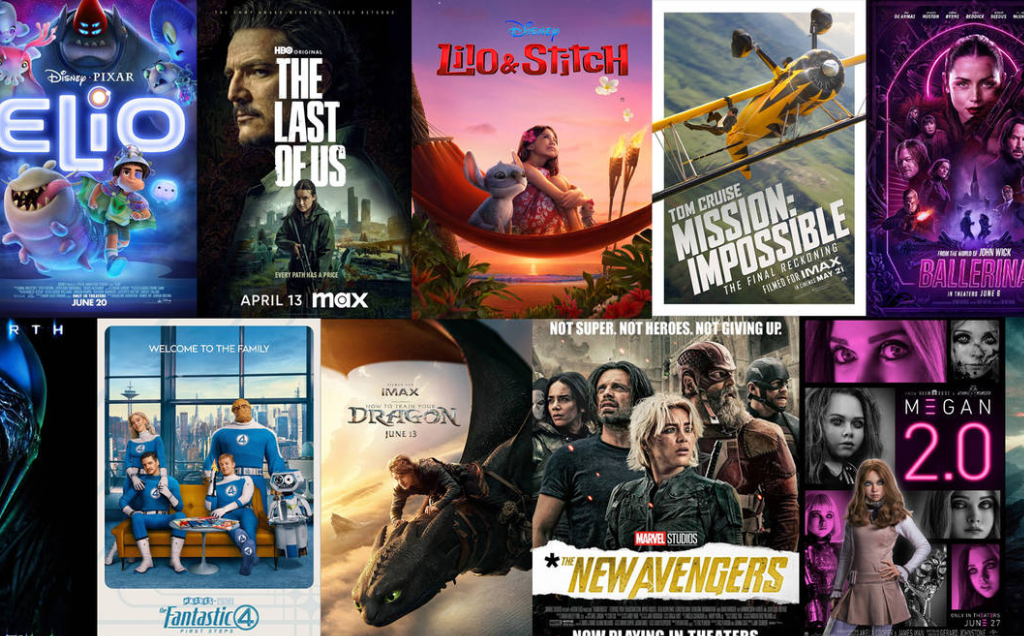
How Is it Done?
1. Place Your Order
Select the subscription duration that suits you best – choose from 1, 3, 6, or 12 months options.
2. Receive Your IPTV Login
This may require up to 1hours. Please check your inbox and spam during this time. For a faster turnaround, get in touch with us through WhatsApp.
3. Enjoy Your IPTV Plan
Dive into a world of entertainment with access to a vast array of channels, movies, and TV shows from across the globe.
Popular Inquiries
Your Xtream iptv subscription includes access to over 40,000 live channels with EPG, 54,000+ VOD movies and series, exclusive VIP sports channels, 4K/FHD/HD/SD streaming quality, anti-freezing technology, and 24/7 expert support. All content is available instantly across all your devices with no additional fees.
No extra hardware is required for your Xtream iptv subscription. You don’t need a satellite dish or special equipment – everything works through your existing internet connection. Simply use any compatible device like Smart TV, Android box, smartphone, tablet, or computer.
Xtream iptv subscription works on all major devices including Smart TVs, Android/iOS phones and tablets, Windows/Mac computers, Android TV boxes, Firestick, Roku, and many more. You can stream on multiple devices simultaneously from anywhere with internet access.
Yes, we offer a risk-free 10-day money-back guarantee with every Xtream iptv subscription. If you’re not completely satisfied with our service quality or content selection, you can request a full refund within the first 10 days, no questions asked.
Xtream iptv subscription features advanced anti-freezing technology and maintains 99.9% server uptime for uninterrupted viewing. Our robust infrastructure ensures buffer-free streaming in 4K, FHD, HD, and SD quality, automatically adapting to your internet bandwidth for optimal performance.
Your Xtream iptv subscription activates instantly within 60 seconds of purchase. You’ll receive your login credentials immediately via email, and our 24/7 support team is available through WhatsApp or email to help with setup if needed. Start watching your favorite content right away!
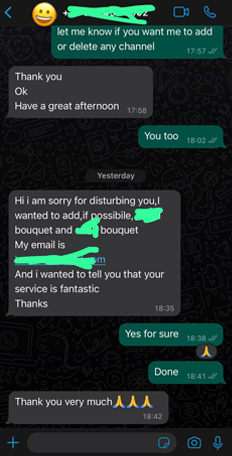
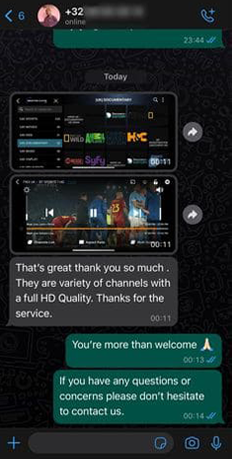
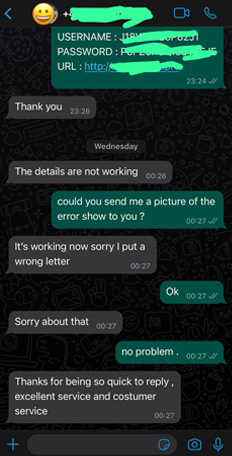
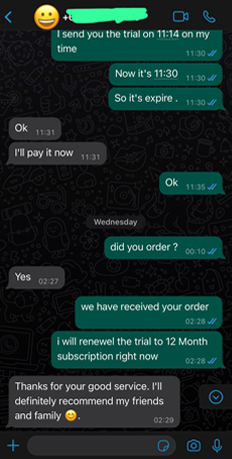
Listen to Our Happy Clients